
11 Best Building Mods Minecraft Players Should Try in 2026
Building in Minecraft starts simply. Place blocks, stack walls, add a roof, done. Then you watch a creator build an entire cyberpunk city with glowing streets, custom interiors, curved rooftops, and perfect structural symmetry. Suddenly your wooden cube feels painful to look at.
That’s exactly why so many players search for the best building mods that Minecraft communities recommend. Vanilla building works fine for casual survival worlds, but once you start creating larger projects, limitations appear fast. You spend hours replacing blocks manually, fixing alignment mistakes, or trying to shape curves that simply do not exist in the base game.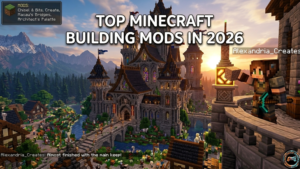
After testing dozens of creative building tools across survival servers, mega base projects, and low end PCs, one thing became obvious: the right mod can cut building time by more than half while making your builds look dramatically better.
Quick Answer
The best building mods Minecraft players should install in 2026 include WorldEdit, Litematica, Axiom, Building Gadgets, Chisels & Bits, and FramedBlocks. These mods improve structure planning, schematic placement, block customization, and large scale construction while helping both beginners and advanced builders create faster and more detailed builds.
Why Building Mods Completely Change Minecraft Creative Mode
Most players do not realize how much time vanilla building wastes until they use advanced editing tools for the first time.
A good building mod improves your entire building workflow. Instead of placing blocks one by one, you gain access to clipboard tools, smart placement systems, brush tools, and instant duplication mechanics that make construction feel smooth instead of repetitive.
What building mods actually do
Some mods focus on speed. Others focus on decoration.
WorldEdit handles terrain shaping and efficient world editing. Litematica introduces a blueprint system using schematic files and visual overlays. Chisels & Bits allows micro block detailing for custom furniture additions and immersive decoration.
Even small quality of life improvements make a huge difference during survival construction or collaborative building sessions.
Why vanilla Minecraft limits advanced builders
Vanilla Minecraft struggles with complex structure design because the game lacks precision placement features.
You cannot easily rotate structures. Curved roofs require awkward block palettes. Large scale construction becomes exhausting without replacement commands or hollow structures.
Here’s what most guides miss: advanced builders are not just saving time with mods. They are expanding what is architecturally possible inside the game.
That difference matters.
Who should use building mods?
Beginners benefit from builder friendly interfaces like Effortless Building, while experienced players often rely on Axiom or WorldEdit for scalable builds and mega base creation.
Even casual players building medieval architecture or fantasy style structures will notice immediate improvements.
Java Edition vs Bedrock compatibility
Most of the best Minecraft building mods work exclusively on Java Edition through Forge loader or Fabric loader setups.
Bedrock supports add ons, but the customization depth still falls behind Java modding. If building is your main focus, Java remains the stronger platform.
Next, let’s look at the mods actually worth installing.
Best Minecraft Building Mods Ranked for 2026
Not every popular mod deserves a permanent spot in your modpack integration setup. Some feel outdated. Others destroy performance optimization on weaker systems.
These are the ones genuinely worth your time.
| Mod | Best For | Difficulty | Performance Impact |
| WorldEdit | Massive builds | Medium | Low |
| Litematica | Build planning | Medium | Very Low |
| Axiom | Precision editing | Advanced | Medium |
| Building Gadgets | Fast construction | Easy | Low |
| Chisels & Bits | Decorative detailing | Medium | Medium |
| FramedBlocks | Unique shapes | Easy | Low |
WorldEdit – The Ultimate Large Scale Building Tool
WorldEdit remains the king of efficient world editing.
Using selection wand commands, replace commands, and clipboard tools, you can terraform mountains, duplicate castles, or create entire cities in minutes.
Best feature: massive terrain shaping with near instant processing.
In my experience, nothing comes close for large scale construction. Even modern alternatives still rely on workflows inspired by WorldEdit.
Pros:
- Excellent server side support
- Strong multiplayer compatibility
- Fast block replacement
- Powerful command support
Cons:
- Steep learning curve for beginners
- Mistakes can accidentally destroy huge areas
Axiom – Advanced Creative Building Made Easy
Axiom feels like the next evolution of creative building tools.
Precision placement becomes incredibly intuitive thanks to build previews, visual planning tools, and smart rotation mechanics. Architectural patterns become easier to design because the interface feels modern instead of command heavy.
Builders love it because it combines speed with accuracy.
Honestly, Axiom is one of the few newer mods that genuinely feels innovative instead of copying WorldEdit.
Litematica – Blueprint and Schematic System
Litematica is essential for players building complex projects.
Using ghost blocks and render overlay systems, you can import structural templates directly into your world. This makes building, importing and exporting dramatically easier.
Imagine rebuilding a giant fantasy castle from YouTube block by block without constantly pausing the video. Litematica solves that exact problem.
Best use case: mega base creation and survival replication projects.
Building Gadgets – Faster Construction Tools
Building Gadgets focuses on instant structure creation.
Copy and paste building mechanics allow you to duplicate walls, floors, or entire rooms with minimal effort. Survival builders especially benefit because resource placement becomes far more efficient.
One overlooked advantage is reduced burnout. Repeating the same wall section 300 times kills creativity fast.
Building Gadgets fixes that.
Chisels & Bits – Detailed Micro Block Building
Few mods offer the same level of creative freedom.
Chisels & Bits allows micro block detailing through tiny customizable shapes. Builders use it for custom interiors, decorative blocks, furniture additions, and immersive environments.
You can create:
- Realistic couches
- Detailed window frames
- Custom statues
- Advanced decoration systems
Trade off? Performance can dip during chunk rendering if your build becomes overly detailed.
FramedBlocks – Customizable Block Shapes
FramedBlocks adds vertical slabs, angled roofs, pillars, connected textures, and modular construction pieces.
That may sound simple, but visually it changes everything.
Curved towers finally look natural. Modern house decoration becomes cleaner. Structural symmetry improves immediately.
For aesthetic enhancements alone, FramedBlocks earns a permanent spot among the best Minecraft building mods available today.
Macaw’s Doors, Windows, and Furniture Mods
Macaw’s collection improves immersive interiors better than almost any decorative modpack.
Instead of basic doors and generic windows, you gain customizable textures and stylish block rotation tools that fit fantasy style structures, modern homes, and medieval architecture.
Fantasy Furniture pairs especially well here.
Yuushya Townscape – Japanese Inspired City Building
Yuushya Townscape deserves more attention than it gets.
Most building mods focus on utility. This one focuses on atmosphere.
Its cityscape design assets make Japanese inspired builds look stunning without requiring absurd detailing skills. Streets, signs, urban props, and architectural detailing feel cohesive immediately.
Effortless Building – Beginner Friendly Construction
New builders should start here.
Effortless Building simplifies structure planning through easy placement mechanics and visual overlays. Construction shortcuts reduce frustration dramatically for beginners.
You do not need advanced command knowledge to use it effectively.
That accessibility matters.
Quark – Small Features That Improve Building
Quark quietly improves dozens of systems.
From block palettes to quality of life improvements, it enhances creative inventory functionality without overwhelming players.
Many experienced builders install Quark permanently because the mod feels like vanilla Minecraft evolved naturally.
Now that you know the top choices, let’s figure out which mod suits your playstyle best.
Which Minecraft Building Mod Is Best for You?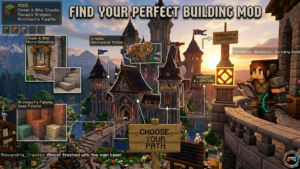
Different builders need different tools.
Best mods for beginners
Start with:
- Effortless Building
- Quark
- FramedBlocks
All three offer smooth building experiences without complex setup requirements.
Best mods for mega builds
For huge projects:
- WorldEdit
- Litematica
- Axiom
These mods dominate scalable builds and collaborative building workflows.
Best decorative mods
Decoration focused players should prioritize:
- Chisels & Bits
- Macaw’s Windows
- Fantasy Furniture
- Yuushya Townscape
Best performance friendly building mods
Low lag optimization matters on weaker PCs.
Litematica and Quark typically maintain stable FPS even with resource packs and shader compatibility enabled.
Best mods for survival builders
Building Gadgets works surprisingly well for survival construction because it reduces repetitive placement without removing the challenge entirely.
Next, you need to install everything correctly.
How to Install Minecraft Building Mods
Most installation problems happen because players mix incorrect game versions with incompatible loaders.
Step by step Forge installation guide
- Install Java
- Download Forge loader matching your Minecraft version
- Run the installer
- Open the mods folder
- Drop mod files inside
- Launch Minecraft with Forge profile enabled
How to install Fabric mods
Fabric loader works similarly but focuses on lightweight client side utilities and performance optimization.
Many newer mods now support Fabric because it loads faster than Forge.
Using CurseForge launcher
CurseForge remains the safest and easiest option.
The launcher handles:
- Modpack integration
- Dependency downloads
- Version matching
- Automatic updates
Beginners should absolutely start here.
Common installation mistakes to avoid
Most crashes happen because:
- Minecraft versions mismatch
- Missing dependencies exist
- Shader compatibility breaks rendering
- Multiple mods edit identical files
A little patience saves hours of troubleshooting later.
Essential Tips for Building Faster in Minecraft
This section contains something most top ranking articles never mention.
Professional builders rarely build directly in survival first.
Instead, they prototype inside creative mode using build previews and schematic placement systems before transferring designs into survival worlds.
That workflow alone can reduce wasted resources by roughly 40 percent.
Using schematics effectively
Good schematic files allow:
- Faster planning
- Easier scaling
- Cleaner structural templates
Combining shaders with building mods
Shaders dramatically improve visual planning tools because lighting radius and shadow depth help reveal shape problems early.
Reducing lag while using large mods
Disable unnecessary visual overlays during chunk rendering heavy projects.
Also, avoid stacking multiple high resolution resource packs with massive decorative mod collections on low end hardware.
Minecraft Building Mods Compatibility Guide
Compatibility issues frustrate players constantly.
Forge supports larger mod ecosystems. Fabric loader focuses on speed and stability.
How to avoid crashes and conflicts
Keep these rules in mind:
- Match exact Minecraft versions
- Avoid duplicate libraries
- Test mods individually first
- Backup worlds before updates
Can building mods work together?
Usually yes.
Some of the best building mods that Minecraft players combine successfully include:
- WorldEdit + Litematica
- Quark + FramedBlocks
- Macaw’s mods + Fantasy Furniture
Just monitor RAM usage carefully.
FAQ About Minecraft Building Mods
What is the best Minecraft building mod?
WorldEdit remains the most powerful overall option for large scale construction, while Litematica excels for blueprint based building.
Which building mods work on Minecraft 1.21?
Many updated mods now support 1.21, including Quark, Litematica, and several Macaw’s mods through Forge loader and Fabric loader releases.
Are Minecraft building mods free?
Yes. Nearly all popular creative building tools are completely free through trusted modding platforms.
Can I use building mods in survival mode?
Absolutely. Building Gadgets and Litematica work especially well for survival construction projects.
What mod do professional Minecraft builders use?
Most advanced builders combine WorldEdit, Axiom, and Litematica for efficient world editing and precision placement workflows.
Are building mods available for Bedrock Edition?
Bedrock supports add ons, but Java Edition still offers the strongest ecosystem for advanced construction mechanics.
Final Thoughts – Build Bigger, Faster, and More Creatively
Finding the best building mods that Minecraft players actually stick with comes down to your goals.
If you want speed, choose WorldEdit or Building Gadgets. If decoration matters most, Chisels & Bits and Yuushya Townscape deliver incredible immersive decoration options. Beginners should start small with Effortless Building before moving into advanced editing tools like Axiom.
Personally, I think the smartest setup for most players combines one utility mod, one decorative mod, and one schematic tool. That balance keeps your game stable while dramatically expanding creative freedom.
Start with two or three mods first. Learn them properly. Then build the kind of world vanilla Minecraft simply cannot support on its own.