Best Minecraft Mods in 2026 That Actually Make the Game More Fun
Minecraft has one weird problem. The longer you play it, the more predictable it starts feeling.
Same caves. Same villages. Same progression loop in every new world.
That’s exactly why the best mods for Minecraft are still exploding in popularity in 2026. Good mods don’t just throw random content into the game. They completely reshape the survival experience, exploration mechanics, combat systems, and even the atmosphere of the world itself.
After spending way too many late nights testing modpacks on both low-end and high-end PCs, I realized something most “top mods” lists never mention: the best mods aren’t always the biggest ones. Sometimes, a tiny quality-of-life tweak changes the game more than a 300-mod kitchen sink pack.
If you’re trying to build the perfect Minecraft setup this year, these are the mods genuinely worth your time.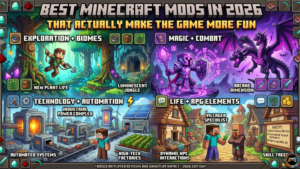
Quick Answer
The best mods for Minecraft in 2026 include Create Mod, Biomes O’ Plenty, Better Nether, Sodium, Alex’s Mobs, Farmer’s Delight, and RLCraft. These mods improve survival mechanics, world generation, performance optimization, automation systems, and exploration without making the game feel bloated or unstable.
Why Minecraft Mods Make the Game Better
Vanilla Minecraft still works because the core sandbox gameplay is timeless. But once you’ve played for a few hundred hours, you start craving more depth.
Mods solve that problem.
Some improve building customization. Others add fantasy creatures, dungeon-crawling systems, or full RPG elements with progression mechanics and boss encounters. A few completely rebuild how survival works.
Honestly, modded Minecraft barely feels like the same game sometimes.
What Minecraft mods actually do
Mods can change nearly every system in Minecraft:
- combat overhaul
- crafting systems
- world generation
- survival progression
- multiplayer gameplay
- automation tools
- exploration rewards
- performance optimization
Create Mod is probably the best example right now. Instead of crafting items the normal way forever, you start building mechanical factories with conveyor belts, rotating gears, and automated resource systems.
The first time I used it, I spent two hours making a potato processing machine for absolutely no reason other than “this looks cool.”
That’s the magic of modded Minecraft.
How mods change survival and multiplayer gameplay
RLCraft turns Minecraft into a hardcore challenge where temperature mechanics, thirst systems, and brutal mobs can kill you within minutes.
Meanwhile, Waystones makes multiplayer servers feel smoother because players can travel huge distances without wasting half the session walking.
Small changes. Huge difference.
Mods vs modpacks vs resource packs
Beginners mix these up constantly.
Here’s the simple version:
| Type | What It Does | Example |
| Mods | Add gameplay systems | Alex’s Mobs |
| Modpacks | Collections of mods | Better Minecraft |
| Resource Packs | Visual upgrades only | Faithful |
Resource packs improve enhanced visuals and connected textures. Mods actually change gameplay mechanics.
Are Minecraft mods safe?
Mostly yes.
CurseForge and Modrinth are the safest places to download mods. Random websites with fake “instant downloads” are where most people get sketchy files or broken modpack ZIP installs.
Version compatibility matters too. One outdated dependency can break an entire setup.
And trust me, crash troubleshooting at 2 AM gets old fast.
How to Install Minecraft Mods Without Breaking Your Game
Mod installation looks intimidating at first. It’s honestly much easier now than it used to be.
Back around 2016, installing mods manually felt like disarming a bomb. One wrong file and Minecraft simply refused to launch.
Modern launchers handle most of the hard work automatically.
Choosing between Forge and Fabric
Forge still dominates massive content-heavy packs because of its huge mod compatibility library.
Fabric is lighter, faster, and perfect for performance tweaks like Sodium and Lithium.
NeoForge has been growing quickly, too, especially for newer mod development.
If you want giant RPG-style modpacks with tech mods and magic systems, Forge usually makes the most sense.
If you care about FPS boost and lightweight setup performance, Fabric feels better.
Best launchers for modded Minecraft
These are the launchers I trust most right now:
- CurseForge
- Prism Launcher
- GDLauncher
- ATLauncher
Prism Launcher deserves way more attention than it gets. The interface is cleaner, RAM allocation settings are easier to manage, and debugging mod conflicts feels less painful.
Common installation mistakes beginners make
Most crashes happen because players:
- install wrong versions
- ignore dependencies
- allocate too little RAM
- Mix Forge and Fabric mods
That last mistake catches people constantly.
Forge mods do not work on Fabric unless specifically converted.
Sounds obvious. Still happens every day.
Best Minecraft Mods for Exploration and New Biomes
Exploration-focused mods completely change Minecraft’s atmosphere.
Instead of wandering through repetitive forests forever, you start discovering massive procedural dungeons, floating islands, abandoned ruins, and custom dimensions that feel handcrafted.
Biomes O’ Plenty
Biomes O’ Plenty still ranks among the best mods in Minecraft because it massively expands biome variety without ruining vanilla balance.
Cherry blossom forests, volcanic regions, glowing groves, and dense fantasy landscapes make exploration feel rewarding again.
You stop sprinting through terrain and actually start looking around.
Better Nether
Vanilla Nether gets repetitive quickly.
Better Nether fixes that with biome expansion, new vegetation, hostile creatures, and much better structure generation.
Suddenly, the Nether feels dangerous again instead of just annoying.
Better End
Most players only visit the End for Elytra loot.
Better End transforms it into a full adventure dimension packed with alien environments, immersive atmosphere design, and exploration-focused gameplay.
Terralith
Terralith doesn’t even add new blocks. That’s the crazy part.
Instead, it rebuilds world generation itself. Mountains feel enormous. Rivers carve naturally through terrain. Cave entrances look cinematic without relying on shaders.
Honestly, this mod alone makes vanilla terrain feel outdated.
Best Minecraft Mods for Survival and Adventure
Some mods make Minecraft prettier.
Others make survival genuinely stressful.
Tough As Nails
Tough As Nails adds realistic survival systems like thirst and body temperature.
Crossing a desert suddenly becomes dangerous. Snow biomes require planning instead of just wearing armor and ignoring the environment completely.
Farmer’s Delight
Farmer’s Delight sounds simple at first.
Then suddenly you’re building kitchens, experimenting with recipes, and treating food like an actual progression system instead of eating stacks of steak forever.
Small mechanic. Massive immersion boost.
Ice and Fire
Dragons.
That alone explains why this mod stays popular.
Ice and Fire introduces fantasy creatures, powerful bosses, custom structures, and chaotic combat encounters that completely reshape exploration mechanics.
Flying over your base means something very different once dragons exist.
Waystones
This might be the single best quality of life mod ever made.
Large multiplayer worlds become infinitely less frustrating once fast travel exists.
Best Minecraft Performance Mods for Low-End PCs
Not everyone has a monster gaming PC.
Modded Minecraft can absolutely destroy weaker systems if you install content-heavy packs without optimization features.
Sodium
Sodium remains the king of FPS boost mods.
Performance gains vary by hardware, but many players report frame rate improvements between 50% and 200%.
That’s massive.
Lithium
Lithium focuses on backend optimization rather than graphics.
Entity calculations, AI systems, and physics processing become far more efficient.
FerriteCore
Large modpacks consume huge amounts of memory.
FerriteCore reduces RAM usage significantly, especially useful for systems using integrated graphics.
OptiFine
OptiFine still matters because of shader support and enhanced visuals.
The downside? Mod compatibility issues happen more often compared to Sodium-based setups.
That trade-off matters if stability is your priority.
Best Minecraft Modpacks to Try in 2026
Standalone mods are fun.
Modpacks create entire gameplay identities.
RLCraft
RLCraft still feels brutal years later.
Blood moons, dangerous mobs, survival realism, and relentless progression systems make every small victory feel earned.
This pack absolutely destroys careless players.
Better Minecraft
Better Minecraft is the safest recommendation for beginners.
It keeps the vanilla+ experience intact while improving exploration mechanics, structures, mobs, and progression pacing.
All the Mods
ATM packs throw everything together:
- tech progression
- magic mods
- automation systems
- custom gear
- late game challenges
- exploration quests
Surprisingly, it stays fairly stable despite the insane amount of content.
SkyFactory
Skyblock gameplay sounds boring until you try SkyFactory.
Building an automated underground empire starting from basically nothing becomes weirdly addictive.
Common Minecraft Mod Problems and Fixes
Every modded player eventually runs into problems.
Usually, right after saying, “just one more mod.”
Why does Minecraft crash after installing mods
Most common causes:
- version mismatch,
- broken dependencies,
- incompatible loaders
- insufficient RAM allocation
Crash logs usually reveal the exact issue if you actually read them carefully.
How to fix lag and FPS drops
Lower:
- render distance
- entity counts
- shader complexity
Then install Sodium, Lithium, and FerriteCore together.
That optimization package works incredibly well for low-end PC optimization.
What to do if mods conflict
Disable mods one at a time until stability returns.
Painfully slow process. Still the most reliable method.
Experienced modded players spend almost as much time troubleshooting as actually playing sometimes.
Nobody admits that part.
Best Minecraft Mods Compared
| Category | Best Option |
| Exploration | Biomes O’ Plenty |
| Hardcore Survival | RLCraft |
| Performance | Sodium |
| Creativity | Create Mod |
| Multiplayer | Waystones |
| Best Overall | Better Minecraft |
No “perfect” mod exists.
Your ideal setup depends entirely on whether you enjoy exploration, survival progression, automation, RPG gameplay, or creative building.
That flexibility is exactly why Minecraft modding still dominates after all these years.
FAQ
What are the best Minecraft mods for beginners?
Better Minecraft, Sodium, Farmer’s Delight, and Waystones are excellent starting points because they improve gameplay without overwhelming new players.
Are Minecraft mods free?
Yes. Most popular mods on CurseForge and Modrinth are completely free to download.
Can mods damage your Minecraft world?
Corrupted saves can happen if mods break during updates. Always create save backups before changing major modpack versions.
What is the safest site for Minecraft mods?
CurseForge and Modrinth remain the most trusted platforms for safe downloads.
Which Minecraft version supports the most mods?
Minecraft 1.20.1 currently has one of the strongest mod ecosystems across Forge, Fabric, and NeoForge.
Final Thoughts
The best mods for Minecraft do more than add content. They completely reshape how the game feels moment to moment.
One mod turns survival into a realistic struggle. Another creates cinematic world generation. Another transforms crafting into industrial automation.
That’s why modded Minecraft stays fresh even after thousands of hours.
Start small if you’re new. Install Sodium first. Add Biomes O’ Plenty next. Experiment with a lightweight modpack before jumping into giant hardcore setups like RLCraft.
Eventually, you’ll build a setup that feels uniquely yours.
That’s where Minecraft becomes impossible to put down.