DirectX 11 vs DirectX 12: Which API Delivers Better Gaming Performance in 2026?
If you’ve ever switched a game from DX11 to DX12 and instantly noticed stuttering, random frame drops, or inexplicable crashes, you already understand why this debate still exists in 2026. Players searching for DirectX 12 stability in Warframe are not looking for technical jargon or benchmark charts. They just want their game to run smoothly without turning every mission into a troubleshooting session.
After testing both APIs across budget and mid-range gaming PCs this year, one thing became obvious. DirectX 12 absolutely can outperform DX11, but only when the game engine and your hardware are properly optimized for it. If they are not, DX11 still feels more dependable. Maybe not as flashy on paper, but a lot less annoying when you actually sit down to play for hours.
Quick Answer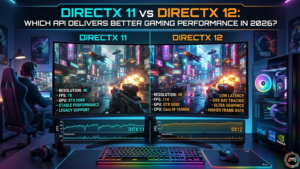
Modern gaming hardware gets far more value from DX12. CPU overhead drops, multi-core utilization improves, and advanced features like ray tracing finally work the way developers intended. DX11 cannot really compete there. What DX11 still does better is consistency. Older GPUs, low memory systems, and games with rough DX12 optimization often feel smoother and more stable under DX11.
Games like Warframe, Fortnite, and Cyberpunk 2077 prove that no universal answer exists. Your GPU matters. Your CPU matters. Even your storage speed and graphics settings can completely change the experience. Two people using the same API in the same game can end up with totally different results. That’s why personal testing matters more than internet arguments.
Why DirectX 11 vs 12 Still Matters for Gamers
A lot of gamers assume newer automatically means better. Real gameplay tells a different story.
Picture two players running the exact same game. One uses an RTX 4070 with a Ryzen 7 processor, and DX12 runs beautifully. Stable frame rates, smooth frame pacing, no major issues. Another player launches that same game on a GTX 1060 with 8 GB RAM, and suddenly the experience changes completely. Stutters appear during combat, RAM consumption spikes, and open-world areas start choking performance.
That difference is exactly why the DX11 versus DX12 debate never disappears.
The role of DirectX in modern PC gaming
DirectX works like the communication bridge between your game engine and your hardware. It manages GPU load, shader processing, texture rendering, and the overall rendering pipeline.
Without an efficient graphics API, even powerful gaming PCs waste valuable computer resources.
Why players compare DX11 and DX12 performance
Competitive gamers care about stable frame rates and responsive controls. Story-driven players usually focus more on visual fidelity and advanced lighting effects.
DX11 prioritizes stability and smooth gameplay. DX12 focuses on graphics workload balancing and better rendering efficiency.
Common issues gamers face with DirectX 12
This is where things start getting messy.
Players searching Warframe can’t paste in chat, or Warframe can’t copy-paste, are often troubleshooting larger client-side issues after updates or graphics backend changes. Others look for how to show all damage numbers in Warframe because UI behavior can sometimes change depending on the rendering mode.
From my own testing, shader compilation stutter remains the biggest problem with DX12. Some games smooth out after twenty or thirty minutes. Others continue hitching no matter what you tweak.
What this comparison will help you decide
By the end of this guide, you’ll know which API fits your hardware, your favorite games, and the type of performance you actually care about.
And honestly, that matters far more than chasing benchmark numbers alone.
What Is DirectX? Understanding the Basics
Most PC gamers use DirectX daily without realizing how much heavy lifting it handles behind the scenes.
What Microsoft DirectX actually does
DirectX manages graphics rendering, audio processing, hardware acceleration, and input communication inside Windows games.
Think of it as traffic control between your CPU, GPU, RAM, and the game itself.
The evolution from DirectX 9 to DirectX 12
DX9 introduced programmable shaders. DX11 improved tessellation, multi-threading, and visual effects.
DX12 completely changed the philosophy behind graphics APIs.
Instead of drivers handling most scheduling tasks, developers gained direct low-level access to hardware resources. That reduced CPU overhead and improved resource allocation significantly.
How DirectX affects FPS, graphics, and CPU usage
A poorly optimized graphics API can bottleneck even strong hardware.
Developer testing and modern rendering benchmarks have shown DX12 reducing CPU overhead dramatically in CPU-limited games. Results vary depending on the engine, but the improvement can be huge in the right situations.
Games like Fortnite and Battlefield benefit heavily from better multicore scaling. Older MMOs sometimes show barely any improvement at all.
Difference between graphics APIs and game engines
Many beginners confuse DirectX with game engines like Unreal Engine or Unity.
A game engine handles gameplay systems, physics, animations, and content creation. DirectX only handles rendering communication between the game and your hardware.
That distinction matters because even an advanced graphics API cannot save a badly optimized game engine.
DirectX 11 vs 12: Key Differences Explained
This is where the performance gap becomes easier to understand.
Single-threaded vs. multi-threaded rendering
DX11 relies much more heavily on single-threaded rendering tasks.
DX12 distributes workloads across multiple CPU cores more efficiently. Modern six-core and eight-core processors benefit massively from this design.
If you play large open-world games with heavy particle effects or high enemy density, DX12 often handles rendering performance better.
CPU overhead and hardware utilization
One of DX12’s biggest strengths is lower CPU overhead.
Games communicate more directly with the GPU instead of depending heavily on driver scheduling. That improves hardware utilization and rendering efficiency.
Older quad-core CPUs sometimes struggle because DX12 places more responsibility on the system itself.
GPU communication efficiency
DX12 improves GPU communication through lower-level hardware access.
You notice this most during large explosions, crowded scenes, or visually chaotic missions.
Imagine running Steel Path missions in Warframe while explosive Bramma shots are filling the screen. DX12 usually handles those moments with smoother frame pacing on modern hardware.
Ray tracing and modern rendering features
Ray tracing remains one of DX12’s biggest advantages in 2026.
Games like Cyberpunk 2077 rely heavily on DX12 for advanced reflections, lighting systems, and path tracing features.
DX11 simply was never built for that kind of rendering workload.
Memory management differences
DX12 gives developers direct control over VRAM usage and system memory allocation.
That flexibility improves performance scaling when optimized correctly. Poor optimization, though, can create severe instability and stuttering issues.
Shader model support and visual enhancements
Modern shader models support enhanced graphics mode features like volumetric lighting, advanced particles, and AI-assisted rendering systems.
Those visual improvements also increase hardware demand.
Compatibility with older hardware
DX11 still performs better on many older laptops and low-memory systems.
Gaming laptops from 2017 or earlier often maintain more stable gameplay under DX11, especially with integrated graphics performance limitations.
DirectX 11 vs 12 Performance Comparison
Benchmarks only tell part of the story.
Does DirectX 12 improve FPS?
Sometimes yes. Sometimes not at all.
In CPU-bound games, DX12 can improve FPS anywhere between 10 and 25 percent, depending on hardware utilization and optimization quality. GPU-limited games usually show smaller differences.
Games where DX12 performs better
These games generally benefit from DX12:
- Cyberpunk 2077
- Battlefield 2042
- Fortnite with Nanite enabled
- Forza Horizon 5
- Hogwarts Legacy
Modern graphics engines built around advanced rendering pipelines scale much better with DX12.
Games where DX11 remains more stable
Older titles and inconsistent PC ports still behave better on DX11.
Warframe is one of the best examples. Players asking if DirectX 12 is stable in Warframe usually discover the answer changes depending on the update cycle, GPU drivers, and mission type.
Open world areas like Plains of Eidolon or Orb Vallis tend to expose performance differences the most. Mid-range systems using cards like the GTX 1060 often maintain steadier frame pacing on DX11 during heavy combat and large draw call scenarios.
CPU-bound vs. GPU-bound gaming scenarios
If your CPU constantly sits near 100 percent while your GPU remains underutilized, DX12 may improve performance noticeably.
If your GPU already runs at maximum load in 4K gaming, changing APIs probably will not help much.
Performance differences in 1080p, 1440p, and 4K
At 1080p, CPU bottlenecks matter far more.
At 4K, raw GPU power becomes the dominant factor.
That’s why DX12 benchmark improvements often appear larger at lower resolutions.
Loading times and frame pacing comparison
Frame consistency matters more than average FPS.
A game averaging 120 FPS with constant spikes and hitching feels worse than a locked 90 FPS experience with smooth frame pacing.
DX11 still handles frame delivery more consistently in many older games.
DirectX 12 Problems Gamers Commonly Experience
This explains why many players switch back to DX11 after trying DX12.
Why does DirectX 12 cause stuttering in some games
Shader compilation stutter happens when games build shaders during gameplay instead of preloading them.
That causes sudden hitching during combat or exploration.
DirectX 12 crashing and instability issues
Driver conflicts still happen constantly.
Unstable overclocks, outdated chipset drivers, and memory instability usually appear worse under DX12 because the API pushes hardware harder.
Shader compilation stutter explained
Here’s something most guides never mention.
Some games handle shader cache storage poorly on systems with slow SSDs or limited RAM capacity. That means storage speed and available memory affect gameplay smoothness more than many players realize.
Driver compatibility problems
NVIDIA and AMD drivers improve every year, but certain updates still introduce temporary instability.
That’s especially true right after major game launches.
Why do some older GPUs struggle with DX12?
Older GPUs technically support DX12 but lack modern asynchronous compute capabilities.
That creates a heavy graphics workload pressure and unstable performance scaling.
Examples from popular games
Warframe players searching for how to change recoil Warframe or how to stop auto run are often adjusting settings after enabling enhanced graphics mode.
Questions like can’t paste in Warframe “ or warframe can’t paste in chat also appear surprisingly often after updates because overlays and Windows clipboard conflicts sometimes interfere with chat systems.
Players asking how to whisper in Warframe or Warframe 1999, how to chat, are usually learning the newer social systems introduced in recent expansions.
How to Choose Between DirectX 11 and DirectX 12
 Your hardware matters more than online opinions.
Best choice for competitive gaming
DX11 still wins for many competitive players.
Stable frame rates and lower latency matter more than flashy graphics when reaction time decides matches.
Best option for maximum visual quality
DX12 dominates visual quality.
Ray tracing, advanced shadows, reflections, and enhanced graphics features all depend on modern rendering systems.
Which API is better for older PCs?
Systems running 8 GB RAM or older CPUs usually perform better under DX11.
Resource-intensive rendering workloads can overwhelm weaker hardware quickly.
Recommended choice for modern RTX and Radeon GPUs
If you own RTX 4000 series or RX 7000 series hardware, DX12 is usually worth enabling.
Modern GPUs are specifically designed for parallel rendering workloads.
When to switch from DX12 back to DX11
Switch back if you notice:
- Severe stuttering
- Random crashes
- Texture streaming issues
- High VRAM usage
- Unstable mission performance
Should laptop gamers use DirectX 11 or 12?
Laptop cooling changes everything.
Thin gaming laptops often maintain smoother gameplay under DX11 because lower CPU overhead reduces heat buildup and thermal throttling.
How to Change DirectX Settings in Games
Switching APIs usually takes only a few minutes.
Switching between DX11 and DX12 in Steam games
Most Steam games include graphics API options inside launcher menus or graphics settings.
Some titles require a restart before changes apply.
How to enable DX12 in launcher settings
Games like Fortnite and Call of Duty include dedicated rendering backend options directly inside settings menus.
Using launch commands and config files
Advanced users sometimes force APIs manually.
Common examples include:
- dx11
- dx12
- vulkan
How to verify which DirectX version is active
Many games display the active rendering backend inside graphics menus or performance overlays.
MSI Afterburner and benchmark tools help confirm GPU utilization changes.
Troubleshooting missing DX12 options
Missing settings usually indicate outdated Windows builds or unsupported GPUs.
Updating DirectX and GPU drivers safely
Always download drivers directly from NVIDIA, AMD, or Intel’s official websites.
Fresh drivers often improve graphics API efficiency and reduce crash behavior.
DirectX 11 vs DirectX 12 for Popular Games
Real-world examples reveal the biggest differences.
Warframe: DX11 or DX12?
Right now, Warframe performs very differently depending on your setup.
Players searching is directx12 stable in Warframe usually want a straightforward answer.
Here it is.
Modern CPUs paired with SSD storage generally run DX12 well in Warframe. Older systems still encounter stuttering issues, especially during open-world missions.
Searches like how to get lamenting the days warframe, warframe how to change name, can’t copy paste warframe, and how to copy from warframe often appear alongside graphics troubleshooting because players tend to tweak multiple settings after major updates.
Path of Exile 2 performance comparison
Path of Exile 2 benefits heavily from modern rendering optimization, but still struggles with shader stutter during first-time area loading.
Fortnite DirectX mode differences
Fortnite performs best on DX12 when Nanite and Lumen are enabled.
Competitive players still prefer DX11 or Performance Mode for maximum consistency.
Call of Duty and Battlefield optimization
Both franchises scale extremely well with multi-threaded rendering.
High core count CPUs gain noticeable FPS improvements under DX12.
Cyberpunk 2077 and ray tracing performance
Cyberpunk practically requires DX12 for advanced visual fidelity.
Path tracing and DLSS features depend on modern rendering technologies.
Best API settings for stable FPS
For most gamers:
- Use DX11 for older hardware
- Use DX12 for modern GPUs
- Disable unnecessary overlays
- Keep drivers updated
- Test both APIs yourself
Future of PC Gaming: Is DirectX 12 the New Standard?
Game development trends already answer this question.
Why developers are prioritizing DX12
Modern consoles already use low-level graphics APIs similar to DX12.
That makes cross-platform optimization easier for studios.
The rise of ray tracing and AI-enhanced graphics
AI upscaling and ray tracing continue pushing graphics technology forward rapidly.
DX12 Ultimate supports those features far more efficiently than older APIs.
DirectStorage and next-generation gaming
DirectStorage reduces loading bottlenecks by improving communication between SSDs and GPUs.
Open-world games benefit massively from this technology.
Will DirectX 11 become obsolete?
Not anytime soon.
Millions of players still use older hardware, according to Steam hardware survey data.
Studios cannot ignore that audience yet.
DirectX 12 Ultimate explained
DX12 Ultimate combines ray tracing, mesh shaders, sampler feedback, and variable rate shading into a unified feature set.
That improves graphics workload balancing for future game engines.
DirectX 11 vs DirectX 12: Final Verdict
After testing both APIs across budget PCs and enthusiast systems throughout 2026, the answer still depends entirely on your hardware and the games you play.
DirectX 12 offers better long-term potential, but DirectX 11 still delivers more reliable consistency for many gamers right now.
Best overall choice for most gamers
Modern gaming PCs with six-core processors and recent GPUs should use DX12 whenever the game supports it properly.
When DirectX 11 is the smarter option
Older PCs, thermally limited laptops, and unstable game builds often feel smoother under DX11.
When is DirectX 12 worth enabling
Enable DX12 if you want:
- Ray tracing
- Better multi-core scaling
- Improved rendering efficiency
- Advanced graphics features
- Higher FPS in CPU-limited games
Quick recommendations by hardware type and use case
Budget PC: DX11
Mid-range gaming PC: Test both
High-end RTX system: DX12
Competitive gaming: Usually DX11
Visual quality-focused gaming: DX12
The smartest thing you can do is test both APIs yourself and monitor frame consistency instead of chasing average FPS numbers alone.
Frequently Asked Questions
Is DirectX 12 always better than DirectX 11?
No. DX12 improves performance in many modern games, but some titles still run more smoothly under DX11.
Does DX12 increase FPS in all games?
No. CPU-limited games benefit the most. GPU-limited games often show very small improvements.
Why do some games run worse on DirectX 12?
Poor optimization, shader compilation stutter, and driver conflicts commonly reduce performance.
Can older GPUs support DirectX 12?
Many older GPUs technically support DX12, but actual performance depends on hardware capabilities.
Which is better for low-end PCs: DX11 or DX12?
DX11 usually performs better on low-end systems because it places less pressure on hardware resources.
How do I fix DirectX 12 stuttering?
Update GPU drivers, install games on SSD storage, reduce background applications, and allow shader caches to rebuild properly.
Does DirectX 12 improve ray tracing?
Yes. Modern ray tracing features rely heavily on DX12 Ultimate support.
Should I use DirectX 11 for stability?
If your game crashes frequently or suffers severe stuttering under DX12, switching back to DX11 often improves stability.